Pages

Showing posts with label pandora. Show all posts

Tuesday, 24 April 2012

Listen to Pandora Music Station Without Using VPN

Update 7th May 2012: HTTPS enforcing to unblock Pandora is no longer works.

HTTPS offers better security by encrypting our communications on the internet. It is a good practice for everyone start practicing to use HTTPS for online browsing.

Few weeks after we shared how to listen to Pandora Music Station using Spotflux VPN, we found another way which can actually do the trick without using any VPN services.

This way pretty much simpler and easy to use. All you need is enforce Pandora to use HTTPS.


How?
Use HTTPS Everywhere


It offers both Firefox Plugin and Chrome Extension (Beta).

Many websites are already listed in the HTTPS Everywhere list, including Pandora. Therefore, you can just go to Pandora and listen to your favorite musics now without adding it into the list. Last but not least, users can add or remove websites from the enforcement list as they like.


Enjoy your favorite musics online at Pandora Music Station now. Cheers!


Behind the Scenes: 
Why Pandora is Accessible By Enforcing it to use HTTPS outside of USA?
Answer: Well, one of the reasons could be Pandora is not listening to the packet header in HTTPS therefore our IP address is unknown to them.. Pandora could have aware of this little "bug", they might fix it in anytime, just guessing. Anyway, enjoy Pandora Music Station!


Written by:
Eddy@CR

Wednesday, 21 March 2012

Use Spotflux VPN To Listen To Pandora Radio Station


Today I'm gonna share a useful tips for who is staying outside of USA but, want to listen to Pandora Radion Station. For your information, Pandora Radio Station is currently only available in United States.

And according to Pandora's Privacy Policy:
Consent to processing
Use of Pandora internet radio outside of the United States is a violation of our Terms of Use. Nevertheless, if you use the Service outside of the United States, you fully understand and unambiguously consent to the transfer of such personal information to, and the collection and processing of such personal information in the United States and other countries or territories. The laws on holding personal information in the United States may vary and be less stringent than laws of your state or country.
 Therefore, use this trick as your own risks :)

As title of this post, we will use VPN service to access to the Pandora Radio Station ie we will get ourselves a US IP Address. I tried to Google "free usa vpn" and it popped out a bunch of VPN service provider in the search results which most of them does not:

  • Offers a free vpn account or
  • Limited time for free account or
  • Have to reconnect every couple minutes or
  • Limited quota eg. 1Gb or 2Gb which definitely not suitable for radio streaming
 Eventually I manged to find a VPN service provider which offers a Totally FOC, Unlimited quota vpn service - Spotflux ( formerly RaptorVPN )

How to do the Setup:

1. First go to Spotflux, download and install their client. (There is MAC and Windows version)
2. After the installation you will be prompted to restart your windows
3. Launch the Spotflux launcher and you will see:


4. Click Enable button and wait for a few seconds for the client to connect to the server. 
5. After the connection to the server has been established, the client will be automatically minimized to the tray icon bar and you will be redirected to Spotflux's official website.


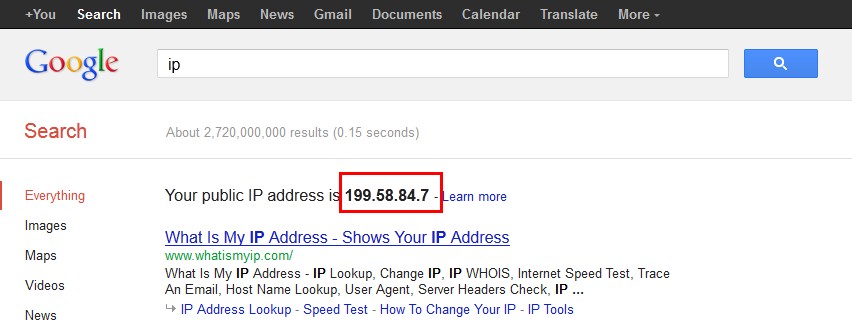
6. Now, go to Google and type "IP" you will see your IP is now changed. (Refer to this post)


7. Enjoy your Pandora Radio Station now! Cheers


 Written by:
Eddy@CR